
SAP Business One has made a significant leap towards customisability since version 9.1. Since then, it has been possible to customise the user interface (UI) directly in order to tailor it to individual requirements. This flexibility opens up a wide range of design options, but also raises the question of how customisations can be effectively shared between users or databases.
Customisation of the SAP Business One user interface
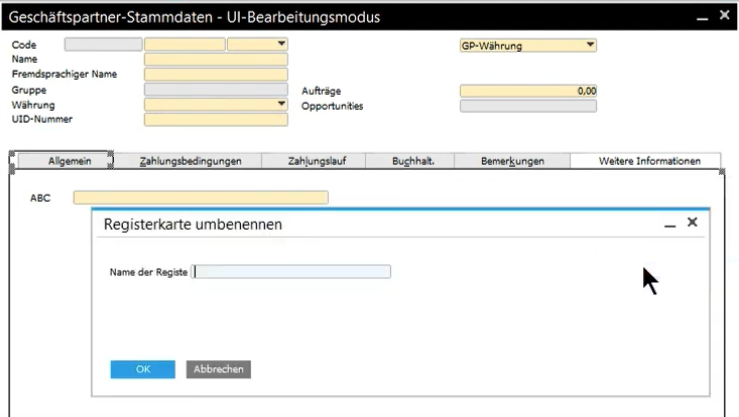
Let's begin with the basics: customising the SAP Business One UI is straightforward. As an example, let's remove the „Payment Run“ tab from the business partner master data. To do this, navigate through the menu to „Extras > Formatter UI bearbeiten“ and as a result ends up in UI editing mode. The UI component to be removed can simply be deactivated via the form settings by cancelling the visibility of the corresponding checkbox. After customisation, the change is saved and the editing mode is exited.
Advanced customisation in SAP Business One
The customisation options are extensive:
- Move and resize fields
- Hide or deactivate elements
- Integrate user-defined fields
- Edit tabs
If you wish to return to the standard view at a later time, you can do so via the „Restore Defaults“ option in the context menu.
Distribution of adjustments
After personalising the SAP Business One form, the next step is to distribute the changes. This is done by copying the form settings in the „Administration > Definition > General“. It should be noted that the function „User settings“ must be active and no user must be logged into the system.
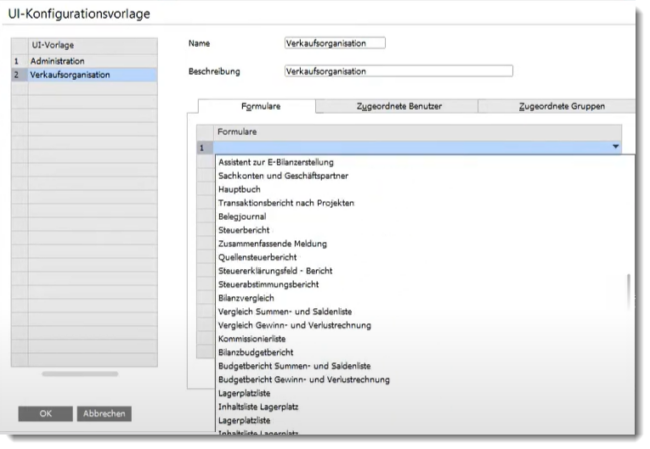
Manage multiple UI templates in SAP Business One
SAP Business One allows you to create and assign different UI templates for the same window, providing a flexible user experience. These templates can be created, customised and assigned to users. In this way, different views can be provided for different requirements.
Transfer of customisations to other company databases
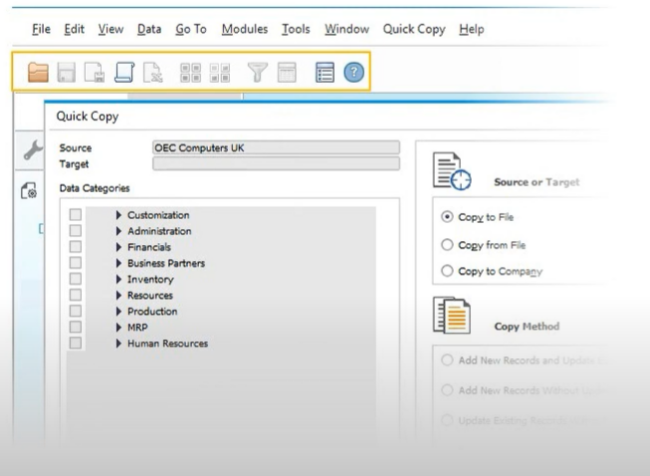
With the „Quick Copy„- The tool allows customisations to be transferred to other company databases. This tool, part of SAP Business One, facilitates implementation and ensures efficient management of configurations across different databases.
Conclusion
The adaptability of SAP Business One UI offers numerous options for optimising workflows and also for adapting to individual requirements. The simple transfer of customisations increases flexibility and efficiency in day-to-day business. With the right tools and clear instructions, anyone can get the most out of SAP Business One.
FAQs

MARIProject 8.0.000: New design, expanded production and optimised processes
New features in SAP Business One 10.0 FP 2508
Accruals and deferrals in SAP Business One
SAP Business One web client - additional feature or strategic step
Elster 2025 for SAP Business One
