SAP Crystal Reports 2025 is the current version of the classic reporting tool that serves as the primary engine for pixel-perfect document printing, financial reports, and analyses in SAP Business One. It is installed as a designer application on the Windows client and integrated into the SAP B1 menu and document printing pipeline via a Crystal Reports add-on.
Context
In a typical installation, a user calls up a document – for example, an outgoing invoice – and prints it using the associated Crystal Report layout via the document printing function; multiple layout variants can be stored per document type and set as the default per user or user group. Data connection is made either via the native HANA or SQL Server driver directly to the company database, via OData/Service Layer, or via stored procedure. Interactive reports are accessed from the main menu under Report selection started; parameter dialogues are handled via the Crystal standard filters. In addition to printing, Crystal Reports allows XML export (useful for notifications to tax advisors and authorities), export as PDF, Excel, RTF and - when connected to the SAP BusinessObjects BI platform - central publishing and scheduling of reports. In the third-party environment, CKS.DMS, the Versino Financial Suite and Coresuite also use Crystal Reports as a printing engine and attach archiving tags (e.g. CKSPRINTTAGinto the layouts.
Demarcation
Crystal Reports is not identical to the Print Layout Designer (PLD), which generates simpler standard layouts as a built-in feature. It is also not the same as Pervasive analytics, which delivers interactive HANA-based dashboards and KPI tiles, but does not print pixel-perfect reports. For ad-hoc data queries, Query Generator/Manager remain the faster choice — Crystal is the right place once layout, reusability, parameterisation or complex groupings are required. From FP 2508, SAP recommends the current Crystal Reports version (2025) as a minimum for new installations.
AI in everyday work: Here's how to find the right start

AI assistant meets SAP Business One: Two paths out of the Versino AI shop

Sprint and Swirl: How an AI agent divides work and learns from trials
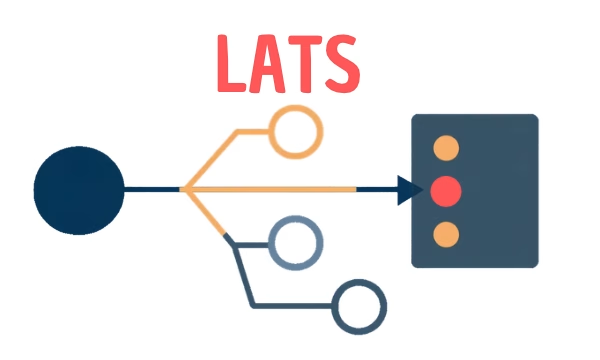
LATS: Considering several paths simultaneously with AI — and the availability check in SAP B1

ReAct and RLEF: How Artificial Intelligence Learns from Real Mistakes — and What Automated Bank Reconciliation in SAP Business One Has to Do with It