
Microsoft Power Bi is a business intelligence tool with which different data sources can be docked. The Bi tool can analyse the data alone or in combination and transform it into interactive diagrams. If necessary, the BI tool can handle mass data, i.e. millions of data records. Recently, a free e-book on Ms Power Bi provides deeper insights.
This free eBook introduces the basics of Microsoft Power BI with a practical, scenario-based introduction to the tool. It also shows how to create analytical solutions with Power BI.
Broad approach for many readers
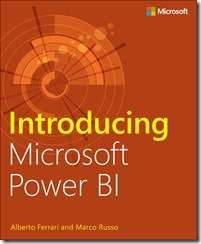 The MS Power Bi ebook is aimed at completely different readers. Of course, it is suitable for users who are completely new to the world of BI. For these readers, the book provides a simple introduction to the concepts on which BI is largely based. At the same time, the book is aimed at IT experts and database administrators who may need to drive the introduction of Power BI. If this is more or less the case, this book serves both as a simple introduction to the basic concepts to understand why users are interested in Power BI. On the other hand, it also provides an overview of the functions available in Power BI. At the same time, Power BI is not just a tool: It is undoubtedly an ecosystem that can integrate existing enterprise BI with self-service BI. Accordingly, the last chapter of the book provides an overview of these capabilities.
Readers of the English-language ebook on MS Power Bi can also download databases and workbooks. These can be used to simulate case studies.
These different download options for the MS Power Bi ebook are available:





Features of Power BI:
- Very intuitive operation
- The accesses for the report recipients are in the cloud without the data necessarily being in the cloud in the end
- Very good integration into the Microsoft world throughout
- Simple and flexible licensing via a subscription
- Secure data transmission : Ultimately only results, no basic data
- Local data can be imported if required
- Access and interaction with data warehouses
- MS SQL Server Analysis Services can be used seamlessly
- Access to SAP Business One with Versino Integration
Versino Power Bi Addon
With the Versino Power Bi AddOn, data from SAP Business One can now also be conveniently accessed. With so-called datasets, the Versino Power Bi integration provides typical compilations of data relationships. These are then available in the Microsoft tool for quick processing.

Data warehouse or data lake
Big Data - Relevant for SMEs?
Data analysis for SMEs
Work 4.0: Faster, further, higher or deceleration?
Study on BIG DATA data analysis in companies by KPMG and Bitkom Research
