On Cross-Tab Crosstab Cross-tabulation) is a special report element in SAP Crystal Reports that cross-tabulates two dimensions and displays the aggregated values in a matrix — typically customers or articles in rows, months or quarters in columns, and sums, quantities, or profits in the cells. It is therefore the classic basis for pivot analyses directly within a report.
Context
A cross-tab is inserted on Insert → Cross-Tab; As a cross-tab expert, row, column, and sum fields are defined. In addition to simple sums, minimum, maximum, average, count, and percentages are also possible; multiple key figures can be stacked on top of each other. A typical Business One example: gross revenue per customer (row) over twelve months (column) with an annual total column on the right. The column order can be flexibly controlled – for example, for deviating business year July to June — by dynamically naming columns in the underlying query like Value_Month_01 to Value_December generated and linked in the cross-tab. In combination with drill-down markersREFER-Links) can allow double-clicks on cells to jump directly to an SAP B1 form or a detailed posting. Formatting (conditional backgrounds, omitting zero cells, highlighting outliers) is controlled via the Formula Workshop.
Demarcation
A cross-tab is not an interactive pivot table like in Excel: rows, columns, and measures are fixed at design time; users cannot regroup them in a live report—for that, you need Pervasive Analytics or a real BI tool. It is also not identical to a normal Group SummaryThis sums along one dimension, a cross-tab crosses two. For pure detailers, the classic details band remains the right choice; cross-tabs shine where density and comparability count.
AI in everyday work: Here's how to find the right start

AI assistant meets SAP Business One: Two paths out of the Versino AI shop

Sprint and Swirl: How an AI agent divides work and learns from trials
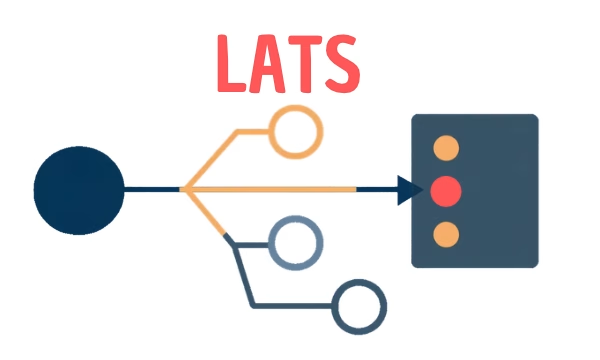
LATS: Considering several paths simultaneously with AI — and the availability check in SAP B1

ReAct and RLEF: How Artificial Intelligence Learns from Real Mistakes — and What Automated Bank Reconciliation in SAP Business One Has to Do with It