
The latest Feature Package 2405 for SAP Business One 10.0 brings numerous improvements and new functions. These relate to the customisability, efficiency and user-friendliness of the software. We describe the most important new features below.
Web Client UI API and Visual Studio Code Plugin
One of the most significant innovations is the introduction of the Web Client UI API. This API makes it possible to create UI extensions for the SAP Business One web client. This gives companies the opportunity to customise and diversify user interfaces in order to implement specific business requirements.
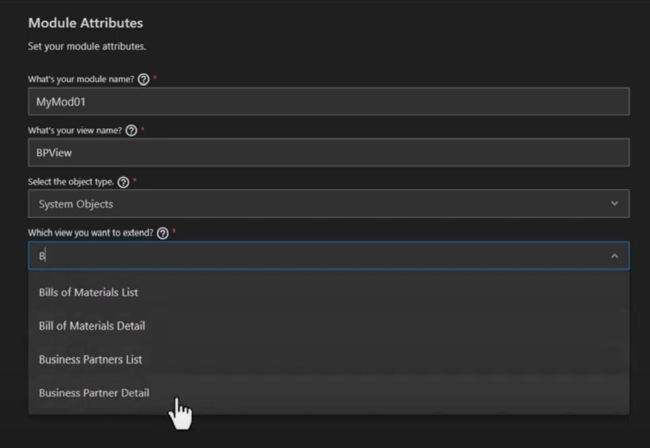
The new Visual Studio Code Plugin for the Web Client provides the necessary tools to utilise these APIs efficiently. This allows developers to access the Web Client UI framework, which gives them full control over layouts, controls and event handling. The development environment enables the writing, debugging, previewing and testing of extensions directly in Visual Studio Code. With correspondingly simple steps for creating, executing, building and deploying UI API apps, the personalisation of software is considerably simplified and new efficiency potential is unleashed.
Web Client Inspector for SAP Business One
With the new Web Client Inspector, users can also observe the effects of their extensions on the user interface in real time. Using a web browser, you can inspect individual page elements to understand their properties and identify potential problems. This functionality significantly improves the debugging and optimisation of extensions.
Improvements in sales, purchasing and warehouse management
Feature Package 2405 also focuses on improvements in the areas of sales, purchasing and warehouse management. Users can now insert batches, serial numbers and storage locations in the corresponding incoming and outgoing documents. In an incoming marketing document, for example, a batch or serial number can be created directly in the document line. Alternatively, you can use the help icon to create batches or serial numbers manually or automatically in a dialogue box and select storage locations.
In an outgoing marketing document, batches, serial numbers or storage locations can also be selected directly in the document lines. Automatic selection according to various sorting criteria is also available here. In the dialogue box, you can also navigate between different document lines that are relevant for the Batches-serial number or storage location assignments are required.

Advanced configuration in the web client
The configuration in the administration group of the SAP Business One Web Client has also been improved. As a result, it has an easy-to-navigate menu structure for accessing new settings and object definitions. Users can manage company details and settings, settings for marketing documents, application-specific settings and various function-specific settings directly in the web client.
New definition pages
SAP Business One also features new definition pages in FP 2405, allowing for the management of various types of object data. Detailed definitions such as payment terms, discounts and unit of measure groups are available in both list and detail views. From the detail view of business objects, definition pages can be easily accessed by selecting the „Redefine“ option in the corresponding fields.
Production variant report
There is a new two-level view of the production variance report. This allows a detailed view of each production component's contribution to the final production variance. Users can view more detailed data for each component row. In addition, more fields such as transaction type, source booking number, source and target document have been added to allow for a more detailed report.

One Day, the Whole B1 Ecosystem: Solution Day Connect Comes to Almere / Amsterdam
LATS: Considering several paths simultaneously with AI — and the availability check in SAP B1
SAP B1 10.0 FP2608: Service Layer AI as a transactional layer
SAP Business One 10.0 Feature Package 2608 / FP2608 Part 3
SAP Business One 10.0 Feature Package 2608 / New Features & Functions – Part 2
