UDO stands for User Defined Object, in German Custom object. A UDO lifts a UDT (User-defined table) to the level of a fully-fledged business object: with its own interface, standard functions such as search/create/change, registration in menu structures, authorisation system, events and integration with DI API as well as Service Layer.
Context
When defining a UDO, the developer chooses between the two object types udo_MasterData (Master Data, like a master data record – Type 1) and udo_Document (documents, as a document with header and lines — Type 3). The UDO includes a master table (Master-Data: single UDT; Document: UDT + line UDT) and optionally a linked number series. In the UI API, there are dedicated default forms and the UDOEvent- An object that is triggered, for example, when opening a new UDO form with a header-line layout. In practice, the UDO concept is used by many add-ons — Versino Financial Suite, Coresuite extensions, or MariProject encapsulate industry-specific documents (e.g. DATEV export configurations, travel expense reports, project documents) via this, which act like native SAP B1 documents but carry their own logic.
Demarcation
An UDO is not identical to a UDT: The UDT is the storage layer, the UDO adds behaviour., UI, events, and API visibility. It's also not the same as simply extending a standard object via UDFs – UDFs attach to existing objects, UDOs are standalone objects. Compared to a classic add on- Forms with self-contained tables offer the UDO the advantage of automatically utilising standard SAP B1 mechanisms (authorisations, approval process, document flow, Service Layer endpoint); the disadvantage is a stronger dependency on the B1 framework and its limitations, such as in the UI freedom of the forms.

AI in everyday work: Here's how to find the right start

AI assistant meets SAP Business One: Two paths out of the Versino AI shop

Sprint and Swirl: How an AI agent divides work and learns from trials
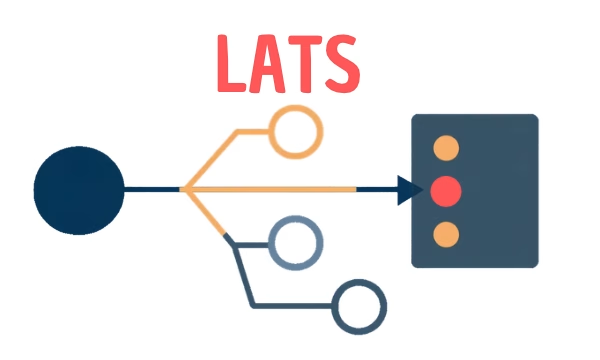
LATS: Considering several paths simultaneously with AI — and the availability check in SAP B1

ReAct and RLEF: How Artificial Intelligence Learns from Real Mistakes — and What Automated Bank Reconciliation in SAP Business One Has to Do with It