The SEPA Direct Debit (SDD) is a standardised collection method whereby a creditor collects amounts in euros directly from a debtor's account. The procedure is based on the ISO 20022 XML message pain.008 and applies uniformly across all 36 SEPA member countries. Within the Single Euro Payments Area (SEPA), SEPA Direct Debit replaces national collection procedures and distinguishes between two variants: SDD Core for collections from consumers and SDD B2B for collections between businesses.
Context
In the SAP Business One environment, companies process SEPA direct debits via the Payment Wizard in the Bank Reconciliation module. The Payment Wizard not only supports outgoing payments but also explicitly the collection of customer receivables. The prerequisite is the maintenance of. Business partner master data with bank details, payment method, and payment terms. The system then imports the appropriate payment format (pain.008.003.02 for SDD Core or B2B), assigns it to the payment method, and generates the XML file in the eighth step of the payment run. Companies transfer this file to their online banking or banking software. They reconcile the returns through the import of the Bank statement in format MT940 or camt.053 as of.
Demarcation
The SEPA Direct Debit is often confused with the SEPA Credit Transfer (SCT). The key difference lies in the direction of the payment flow: with a SEPA Credit Transfer, the payer initiates the payment to a recipient, whereas with a SEPA Direct Debit, the creditor collects the amount from the debtor's account. Accordingly, SAP Business One uses the pain.001 format for credit transfers, and pain.008 for direct debits. Within SEPA Direct Debit, SDD Core and SDD B2B are also distinguished: SDD B2B is exclusively aimed at collections between businesses.
AI in everyday work: Here's how to find the right start

AI assistant meets SAP Business One: Two paths out of the Versino AI shop

Sprint and Swirl: How an AI agent divides work and learns from trials
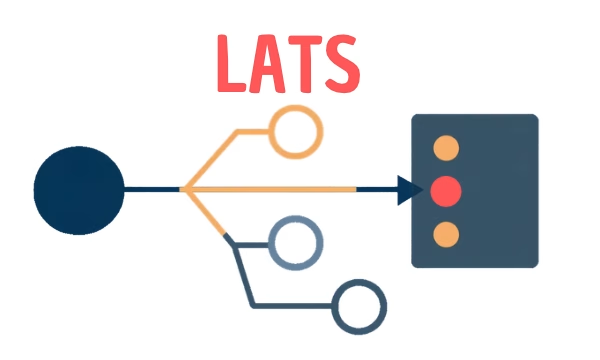
LATS: Considering several paths simultaneously with AI — and the availability check in SAP B1

ReAct and RLEF: How Artificial Intelligence Learns from Real Mistakes — and What Automated Bank Reconciliation in SAP Business One Has to Do with It