The financial accounting module in SAP Business One requires precise and differentiated authorisation management, as it contains sensitive company data and critical business processes. However, granularly adjustable access control allows companies to ensure that users only see and edit the data they need for their role.
1. main areas of authorisations in finance

The module includes some functions that require specific authorisations:
- chart of accountsAccess to the creation and editing of accounts.
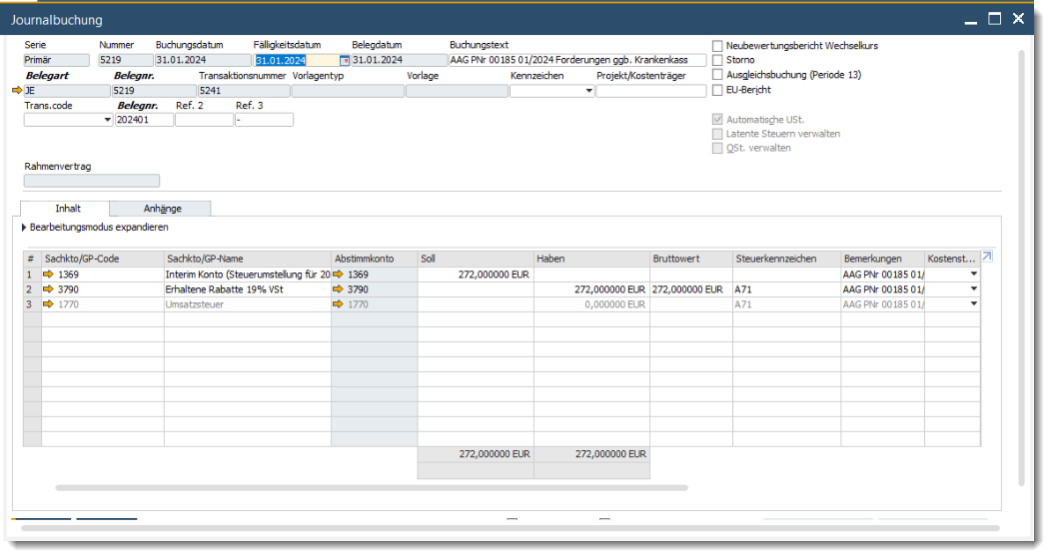
- Journal bookings: Authorisations for creating, editing and displaying posting documents.
- ReportsAccess to financial reports such as profit and loss accounts or balance sheets.
- BudgetingControl of budgets and cost centres.
- Period closureAuthorisations for managing closed booking periods.

2. authorisation levels and options
2.1 Full access
- Users can utilise all functions within the finance module without restriction.
- Ideal for finance managers or controllers who require extensive access rights.
2.2 Read-only rights
- Users can view reports and data, but cannot make any changes.
- Suitable for auditors or team members who prepare analyses but do not make bookings.
2.3 No authorisation
- Access to certain functions is completely blocked.
- Recommended for employees outside the finance department to protect sensitive data.
3. detailed control of individual functions
3.1 Chart of accounts
- Access control at account levelAuthorisations in financial accounting can be defined for specific accounts or account groups.
- Confidential accountsAccess to sensitive accounts (e.g. salary accounts) can be restricted to selected users.
3.2 Journal entries
- Create bookingsOnly authorised users can create new bookings.
- Processing of existing bookingsAdjustments to transactions that have already been posted can be restricted to prevent manipulation.
3.3 Financial reports
- Authorisations for access to specific reports can be individually adapted:
- Access to complete reports.
- Limited visibility due to data masking (e.g. masking of sensitive values such as profit margins).
3.4 Budget management
- Users can only see or edit the budgets for which they are authorised.
- Restrictions at cost centre level are possible.
3.5 Period closure
- Only users with the appropriate rights can make bookings in closed postion periods to perform. This function is essential to maintain the integrity of historical data.
4. setting up and managing authorisations in finance
4.1 Procedure
- Opening the authorisation management:
- Navigate to Administration > System initialisation > Authorisations > General authorisations.
- Selection of the user or user group:
- Select the user or group whose authorisations are to be adjusted.
- Adjustment of authorisations:
- Define the authorisation level for the "Financial accounting" module or individual functions (e.g. chart of accounts, journal entries).
- Saving and testing:
- Save the changes and check with a test user whether the authorisations work correctly.
4.2 Use of authorisation profiles
- Recurring authorisation patterns can be saved as profiles and transferred to other users.
- Particularly useful when setting up new employees.
5. extended security measures
5.1 Change logging
- All changes to authorisations and financial data are recorded in the change log to facilitate audits.
5.2 Authorisation workflows
- Approval workflows can be set up for certain actions, such as exceeding a budget or posting large amounts.
5.3 Role-specific settings
- Roles such as "financial analyst" or "accountant" can be created to assign authorisations consistently.

E-Rechnungs-Check der Versino Financial Suite
Eine E-Rechnung ist schnell erzeugt. SAP Business One bringt die XRechnung im Standard mit, und wer mit cks.eINVOICE oder dem …

Versino accounting service
Bookkeeping should run quietly. Vouchers come in, are posted, the VAT return goes out, and the tax adviser also gets a ... at the end of the year.

Cash flow planning in SAP Business One: What the Versino Financial Suite does differently
Cash flow planning is considered a done deal in many medium-sized companies. After all, there are bank statements, there are open items, …

Two free webinars in July: Experience the Versino Financial Suite live
In 90-minute sessions, we'll show you practical ways to harmonise, streamline and automate your bookkeeping in SAP Business One…

E-Invoicing 2026: What is changing now for SMEs and SAP B1 users
The e-invoice has moved beyond the theoretical IT project phase. Since January 2025, the obligation to receive them applies to all domestic companies — …

Netting in SAP Business One: What makes the Versino Financial Suite different
When a business partner is both a customer and a supplier, that sounds like a comfortable situation. You know each other, you trust...